The Hidden Gems Inside iOS 26.2 That Quietly Upgrade Your iPhone

“Sometimes the biggest upgrades aren’t the flashy ones you see on stage, but the tiny tweaks you feel every day.
Apple’s iOS 26.2 may not look like a major overhaul at first glance, but once you explore the update, you start noticing the thoughtful improvements tucked inside. From small usability boosts to smarter apps and better privacy protections, this update focuses on polishing the everyday iPhone experience. Early beta testers have spotted some stability issues, though so if you use your iPhone for important work or studies, waiting for a more stable beta might be the safer option.
Apple Music Gets Offline Lyrics and a Fresh Interface
Follow Lyrics Without Internet
One of the most practical additions in iOS 26.2 is offline lyrics in Apple Music. Whether you’re on a flight, out in low-signal areas, or simply saving data, you can now enjoy lyrics without the need for a connection.
Full-Screen Playlist Art
Apple also refreshed how playlists look by adding full-screen album art, making your music app feel more immersive and visually appealing.
Reminders App Adds ‘Urgent Alerts’ for Better Productivity
Prioritize What Truly Matters
The new “urgent reminders” option allows you to mark high-priority tasks and attach alarms that pop up exactly when you need them.
Complete Tasks From the Notification Itself
You can now mark a task as done directly from the alert a small but time-saving improvement, especially for busy users handling packed schedules.
Apple News Gets More Personalized and Easier to Navigate
Improved Search and Categories
The News app now includes a cleaner search bar and reorganized topics, making it easier to find the stories you want.
‘Discover More’ Personalized Suggestions
A new section recommends articles based on your reading patterns so you spend less time scrolling through unrelated content.
Freeform Becomes More Powerful With Table Support
Organize Ideas With Rows and Columns
Freeform now lets you create tables with customizable rows, columns, and merged cells. This makes brainstorming, planning, and collaboration much more structured.
Better for Teams and Personal Projects
Whether you’re designing a project layout or sharing notes for work, Freeform’s new table tool makes your canvas more organized and flexible.
Encrypted RCS Messaging Strengthens iPhone Privacy
Better Security for Modern Messaging
iOS 26.2 introduces encrypted RCS messaging, bringing Apple closer to modern cross-platform messaging standards.
Carrier Support Still Catching Up
Its performance still depends heavily on carrier compatibility, which may vary — but it’s a promising step for privacy-focused users.
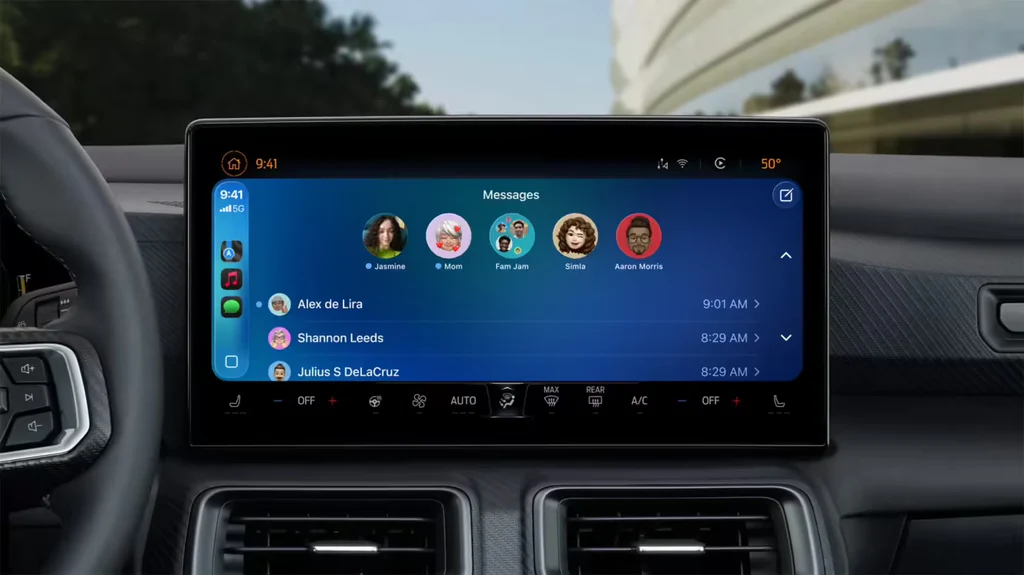
CarPlay Brings Back Widget Stacks for Quick Access
Swipe Through Multiple Widgets Easily
Widget stacks have returned, allowing drivers to quickly cycle through weather, music, navigation, and more — all from one spot.
Safer and Less Distracting
This significantly reduces the need for extra taps while driving, making CarPlay not just convenient but safer.
Clipboard Integration Could Boost Multitasking
macOS-Inspired Clipboard System (Rumored)
Apple is reportedly working on a universal clipboard feature for iOS 26.2. If introduced, it would let you copy content from one app and paste it into another instantly.
A Big Win for Productivity
While not confirmed, this single addition could dramatically speed up workflows for students, professionals, and content creators.
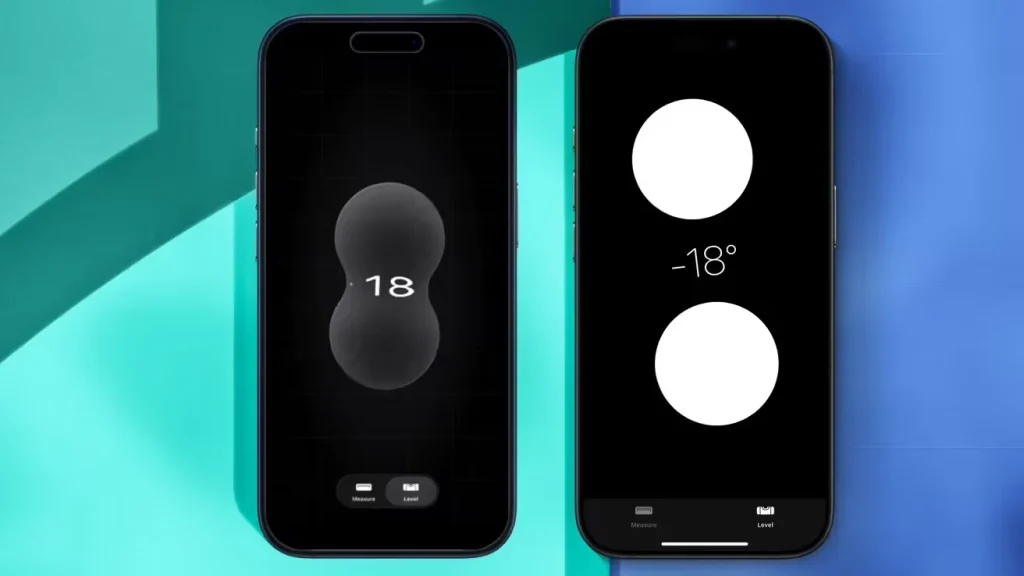
Measure App Adopts the “Liquid Glass” Design
The Measure app now follows Apple’s latest visual direction, adopting the Liquid Glass look introduced with iOS 26.
The level tool includes new dynamic dual bubbles, color gradients, and refraction effects, giving it a more realistic, fluid appearance consistent with the rest of the OS.
Performance and Battery Life Improve Slightly
Small Gains in Speed
Geekbench scores show slight improvements over iOS 26.1, indicating modest optimizations under the hood.
Smoother Battery Efficiency
Battery life seems slightly better, though early beta testers have reported occasional app freezes and random crashes.
Should You Install iOS 26.2 Right Now?
Beta Timeline and Stability
Apple is rolling out new beta builds every two weeks, with the public release expected around mid-December 2025.
Wait for Beta 2 or Beta 3
Since the first beta has stability issues, it’s wise to wait for later versions if you rely on your iPhone for daily use.
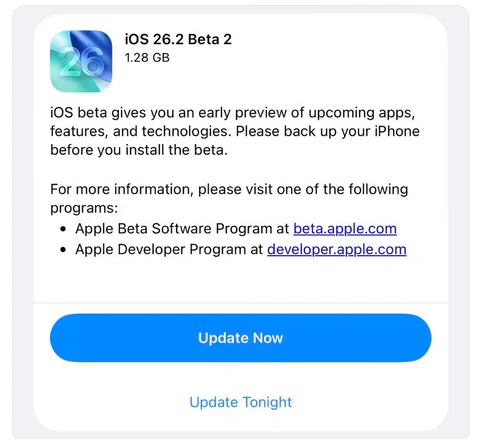
📱 Supported Devices for iOS 26.2 Beta 2
Apple continues to offer wide support across its lineup. iOS 26.2 Beta 2 can be installed on all devices compatible with iOS 26.
✅ Compatible iPhone Models
- iPhone 17 series
- iPhone 16 series
- iPhone 15 series
- iPhone 14 series
- iPhone 13 series
- iPhone 12 series
- iPhone 11 series
- iPhone XS and XS Max
- iPhone XR
- iPhone SE (2nd generation and later)
Installation Tips
Before updating, make sure to follow these key steps to avoid issues:
- Free up storage: At least 6 GB of available space is required.
- Backup first: Use iCloud or Finder (on macOS Sonoma or later) to create a complete backup.
- Stay charged: Keep your iPhone at 50% battery or higher, or connect it to power.
- Access: Developers can install via the Apple Developer App, while public testers can use the Apple Beta Software Program.
Final Thoughts: A Balanced Update With Real Potential
iOS 26.2 isn’t a show-stopping update, but it brings a collection of useful features that refine the overall iPhone experience. Offline lyrics in Apple Music, urgent reminders, smarter News recommendations, and table support in Freeform all make everyday tasks smoother. The return of widget stacks in CarPlay and the arrival of encrypted RCS messaging add even more value. While the initial beta feels a bit buggy, the features themselves are promising — and waiting for a more stable build will help you enjoy them without frustration.
If you’re exploring the best features of iOS 26.2, you’ll find plenty of detailed guides and tips across our platform.

- Valve Delays Steam Machine Pricing as RAM Crisis Throws PC Market Into Chaos
- LG OLED evo W6 Wallpaper TV Hands-On at CES 2026: Ultra-Thin, Wireless, and Surprisingly Affordable
- ASUS Introduces Next-Generation Ultra-Small-Form-Factor PCs at CES 2026
- ASUS Unveils New AI PC Lineup at CES 2026, Led by Dual-Screen Zenbook DUO and ProArt GoPro Edition
- ASUS Unveils ExpertBook P3 G2 for Modern Business Professionals
About The Author